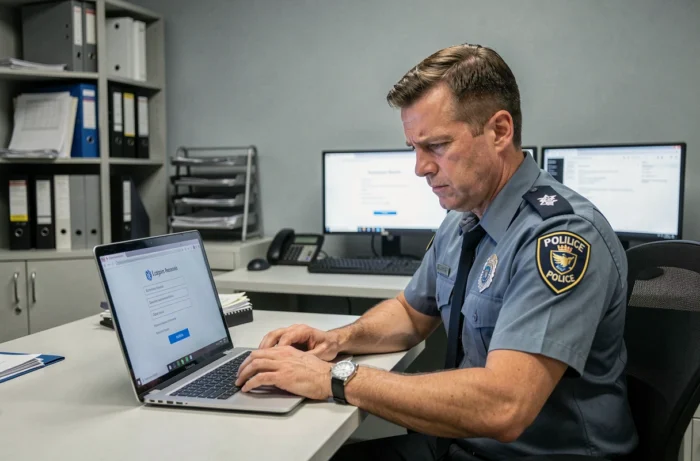
You are trying to log in to E Campus Police and the page gets stuck, or your password is rejected without explanation. This situation is common, and it almost never originates from the platform itself. E Campus Police does not manage any identifiers on its own: all authentication goes through the CALYPSSO portal of the Ministry of the Interior. Understanding this mechanism changes the way you diagnose a connection problem.
Why E Campus Police rejects your password: the role of CALYPSSO
The most common confusion is to look for a “Forgot Password” button directly on E Campus Police. This button does not exist because the platform fully delegates identity verification to the server auth.sso.police.interieur.gouv.fr.
When you click the login button, you are redirected to CALYPSSO. This is where your username/password combination is verified. If your information is incorrect, the error message may seem to come from E Campus, but it actually originates from the ministerial portal.
This architecture exclusively concerns accounts with an address ending in @interieur.gouv.fr. If you are using a personal address (Gmail, Outlook), the problem lies elsewhere: your account is probably not linked to the correct directory, or it has not yet been created. Several agents have found solutions for E Campus Police login by starting with this specific point.
Resetting your E Campus Police password: the procedure that works
Since E Campus does not store any passwords, the reset is done on CALYPSSO or via the CNAU (National User Assistance Center). Here are the concrete steps.
- Go directly to the CALYPSSO portal, without going through E Campus. Click on “Forgot Password” and enter your @interieur.gouv.fr address. A reset link will be sent to that same address.
- If you do not have access to your ministerial email (unavailable position, locked account), contact the Police CNAU by phone. Prepare your RIO (registration number) and your assignment, as the support agent will ask you to confirm your identity before any intervention.
- After resetting, wait a few minutes before trying to log in to E Campus again. The propagation delay between CALYPSSO and the training platform can take several minutes.
A common trap: resetting your password and then immediately trying to log in with the old one stored by the browser. Clear the cache and saved passwords in your browser before trying again.
Account locked after several attempts: what happens on the server side
After a certain number of failed attempts, CALYPSSO temporarily locks the account. This security mechanism protects against intrusion attempts but also blocks agents who mistype their password.
The lock is time-limited. Wait before trying again. If the lock persists beyond a few dozen minutes, it means the lock has been escalated manually by the system. In this case, only the CNAU can unlock your account.
Error in the directory signaling
A less visible but equally blocking case: your CALYPSSO account works, you reach E Campus, but no training module appears. You see an empty dashboard.
Access rights to E Campus are automatically inherited from the ministerial directory. If your profile (student guard, reservist, active agent) has been incorrectly entered by the secretariat or personnel office, the platform considers you as a user without assignment.
The correction does not depend on you: the secretariat of your school or your administrative service must update your record in the management software. Request a verification of your signaling specifying that your CALYPSSO account works but that E Campus does not assign you any course.

Browser and network issues on E Campus Police
Some connection errors have nothing to do with the identifiers. They come from the technical environment.
Have you ever noticed that a page works on your phone but not on your workstation? On the computers in police stations, browsers are sometimes locked in old versions or restricted by network security policies. E Campus uses a Moodle interface that requires a recent browser and support for session cookies.
- Check that third-party cookies are not blocked. CALYPSSO needs to set a session cookie to transmit authentication to E Campus.
- If you are using a proxy or an internal VPN, test the connection from another network (for example, by sharing a mobile connection) to isolate the problem.
- Try a different browser. On institutional workstations, Firefox is often available in addition to Internet Explorer or Edge.
- Temporarily disable browser extensions (ad blockers, third-party password managers) that may interfere with the CALYPSSO redirection.
A redirection problem between CALYPSSO and E Campus often comes from a blocked cookie, not from an incorrect password. If the login page loops without a clear error message, this is the first avenue to explore.
Particular case of students awaiting summons
Students summoned to police school do not all receive their identifiers at the same time. The creation of the account depends on the encoding in the school’s management software. As long as the secretariat has not finalized your registration, no E Campus access is generated.
If your summons is approaching and you have not received anything, contact the secretariat of the concerned school directly rather than the CNAU. Technical support cannot create an account that has not been triggered by the school’s administration.
The majority of connection issues to E Campus Police boil down to three situations: a password to reset on CALYPSSO, incorrectly entered signaling in the directory, or a browser that blocks the authentication redirection. Identifying which of these three causes is at play avoids wasting time with the wrong contact.